
Weddings
One wedding QR code for every photo your guests take
Your photographer captures the day from the outside. Your guests capture it from the inside — and most of those photos never reach you. One code on the tables collects them all, along with the voice messages and notes, and turns into your wedding memory page afterwards.
One payment from $29 · No app for your guests · No account to create
Need a complete wedding website with RSVP? Explore the $79 Wedding Website bundle
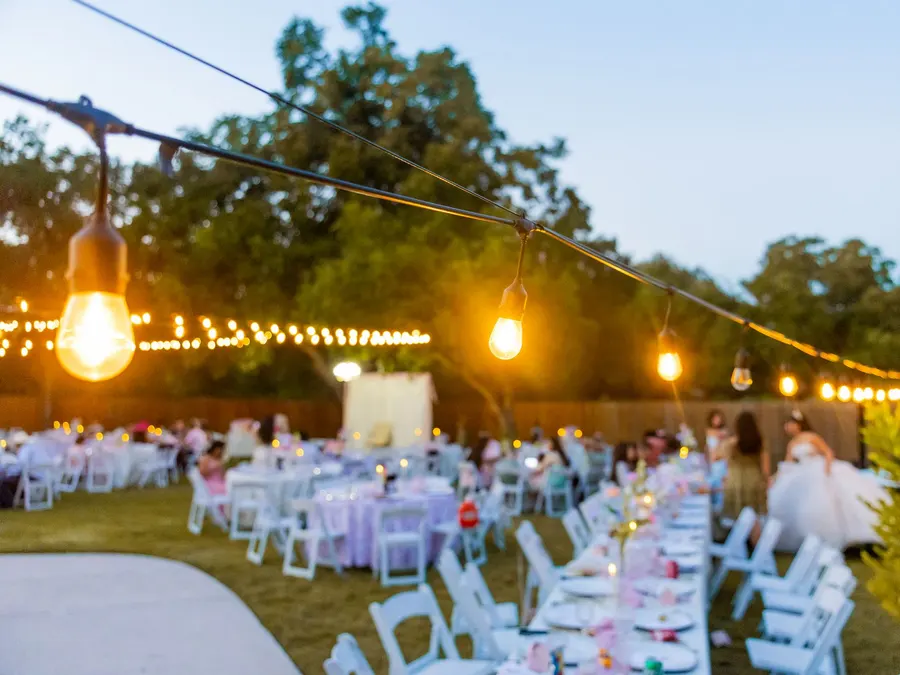
The photos you never see
A hundred people at your wedding, a hundred phones, and every one of them holding moments your photographer could not physically be in the room for — the toast from the back table, the kids under the dessert table, your uncle's face during the vows.
Those photos end up scattered across text threads, private stories that expire after a day, and a hashtag half the room forgot to use. Six months later they are effectively gone, and the people who took them have long since stopped meaning to send them.
A QR code removes every step between having a photo and giving it to you. A guest points their camera at the table card, taps the banner that appears, and the upload page is open. No app to install, no account to create, no hashtag to spell correctly.
One code, start to finish
Before, during and after
Before the day
RSVPs without the paper
Put the code on your save-the-dates and invitations. Guests reply in about ten seconds — attending or not, how many people they are bringing, and a note for you. They can change their answer later without emailing you about it. You watch the list fill up in your dashboard and export it as a spreadsheet when the caterer asks for numbers.
On the wedding day
The tables do the work
The same code has already switched itself into collecting mode by the morning of the wedding — you do not have to do anything on the day. Guests scan the table cards between courses and upload straight from their camera roll, at full resolution rather than the compressed version messaging apps send.
Afterwards
It becomes the wedding page
Three days after the wedding, that same code turns into your finished memory page: the photos, the voice messages, the written notes, all in one place. Send one link to everyone who was there — and to the people who could not be.
What guests can leave you
Photos at full resolution
Originals straight from the camera roll, up to 20 MB each and 20 at a time — including the iPhone HEIC files that most upload forms reject outright. This is the real difference from collecting photos over WhatsApp or text, which quietly recompress everything you receive.
Voice messages
Thirty seconds of someone's actual voice outlasts a signature in a guest book by a wide margin. Guests record right in the browser, and the prompt asks them directly: what would you like the couple to remember?
Short video messages (Plus)
The toast from the back row, a wish filmed at the table, the dance floor mid-song — guests upload video messages of up to 60 seconds each, straight from their phones. Included with Keepsake Plus, up to 30 videos per event.
Written notes
For the guests who would rather write than talk, and for the ones who think of the right thing to say on the drive home. Their note appears on the memory page beside their photos.
Not a mockup
Open a real event page
These are working events running in the product right now — the exact page a guest gets when they scan the code.
See every stageWhat you put on the tables
Every event comes with print-ready files the moment it is created. Print them at home or hand the PDFs to a print shop.
- 4×6 and 5×7 cards — the common photo sizes, so any print shop can run them
- Letter and A4 fold-over table tents that stand up on their own
- A 1200×630 share image for the group chat, and a 1080×1920 version for stories
- The QR code itself as SVG and as a 4096px PNG, so you can put it on a welcome sign at any size
- Your own wording on all of it — “Share your photos with Emma & Daniel”
Questions people ask
- When should the QR code go on the invitations?
- As soon as you have it, which is the moment you create the event. The code never changes, so it can go on save-the-dates a year ahead. Until the wedding day it shows a countdown and the RSVP form; on the day it switches to photo collection by itself.
- Will guests actually use it?
- The two things that normally stop people are downloads and sign-ups, and there are neither. Point the camera at the table card, tap the banner, upload — about four seconds from scan to uploading. Uploads typically start during the reception rather than after it.
- Do we get full-resolution photos or compressed ones?
- Full resolution. Guests upload the original file from their camera roll, up to 20 MB each, and you download the originals as a ZIP whenever you want. Nothing is recompressed on the way.
- What if someone uploads something we don't want on the page?
- Every upload appears in your dashboard and you can hide or remove it with one tap. Removed items disappear from the guest page and the memory page immediately. Nothing reaches the finished page without you being able to take it down first.
- Can we keep collecting photos after the wedding?
- Yes. Uploads stay open for 7 days after the end time by default, and you can extend or close that from your dashboard — built for the guests who fully intend to upload on the night and actually get to it on Tuesday.
- Is this a subscription?
- No. One payment for one wedding, from $29, with no card kept on file and nothing to cancel.
One payment, one event, yours to keep
$29 for everything above, with originals kept 6 months. $49 extends that to 24 months and prepares your full archive automatically before anything expires. No subscription either way.
Planning something else?